Email tab in Options
E-mail tab in Toolkit : Options provides options for sending email from SuperMemo.
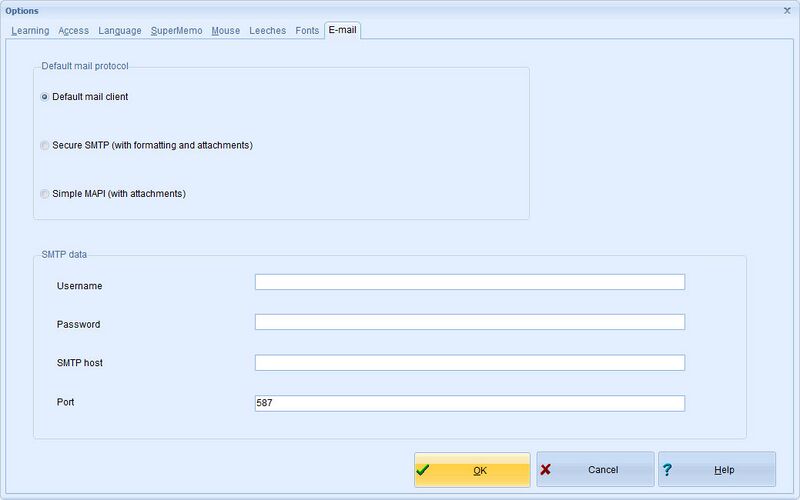
- Default mail protocol
- Default mail client - SuperMemo will send simple email using your default mail program
- Secure SMTP (with formatting and attachments) - you may use SuperMemo as your mailing program using the secure SMTP protocol. Despite the name, the method is not secure as SuperMemo is not a safe guardian of your private data (e.g. mail password). Use this method only if the other two cannot be used
- Simple MAPI (with attachments) - as in previous SuperMemos, if your mailing program supports MAPI, use it to maximize the range of available options, esp. if you forward your elements or objects to friends
- SMTP data - data needed to use Secure SMTP
- Username - the username used to authenticate with the SMPT mail server
- Password - the password used to authenticate with the SMPT mail server. Warning! SuperMemo saves your password using weak encryption. Do not trust SuperMemo with mission-critical data!
- SMTP host - the name of the SMPT mail server (e.g. smpt.gmail.com)
- Port - the port used to submit an outgoing email to the SMPT mail server (e.g. 587 for encrypted email transmissions using SMTP Secure (SMTPS))